Key takeaways
- Bot traffic in Adobe Customer Journey Analytics (CJA) counts against your reportable rows, and most organizations are paying for more of it than they realize.
- Dynamic Datastream Configuration lets you quarantine bot events without touching your implementation code and work alongside segment-based bot filtering for comprehensive coverage.
- Reducing bot row volume frees up your Customer Journey Analytics capacity for higher-value use cases like content analytics, behavioral analysis, and richer customer journey reporting.
For years, paying for bot traffic has been accepted as an unavoidable tax in digital analytics. If a tag is on your site, it fires, and you pay for the data. Recent industry-wide estimates put bot traffic at roughly half of all web traffic. In our work across Adobe Analytics and Customer Journey Analytics implementations, we've seen bots contribute as much as 80% of events for some clients.
Organizations have faced two imperfect choices to manage this:
- Filter after the fact: Let your analytics tool clean up the data after it arrives. This fixes your reporting accuracy, but you still foot the bill for the ingestion and processing costs
- Block via a Tag Manager: Attempt to stop the data from firing entirely on the client side. While this saves money, it risks accidentally blocking real users if your detection logic misses the mark.
The majority of Customer Journey Analytics customers use the first option to segment bots out at the Data View, but these teams still pay for them as reportable rows. For the most advanced users, complex data engineering processes with Data Distiller can remove bots, but this approach is out of reach for most customers.
Thankfully, Adobe quietly released a new feature in March that completely changes this formula. You can still collect all of the events without risking data loss, but you only pay for the real users. And it doesn’t require the release of any code. How is this possible? Dynamic Datastreams.
What are Dynamic Datastreams and how do they help filter out bots?
Within Adobe Experience Platform (AEP), Datastreams serve as the connective tissue between your experiences and Adobe products and services. When you use the Adobe Web or Mobile SDK to send XDM payloads to the Adobe Experience Platform Edge network, the Datastream takes over. The Datastream allows you to do a number of functions, including:
- Route data to multiple Adobe products (AEP, Analytics, Target, etc.)
- Manipulate the payload through the use of Data Prep
- Enrich the payload with device and geolocation lookups
- Identify bots
Bot identification specifically lets you reference the standard IAB list of self-reporting bots, as well any custom user agent or IP address patterns that you have identified. Before Dynamic Datastreams, you could use the bot identification score dimension in Customer Journey Analytics to exclude bots from the Data View with a segment, but it didn’t prevent the rows from being ingested into the Connection.
With Dynamic Datastreams, you can effectively quarantine the identified bots and prevent them from ever being ingested into Customer Journey Analytics, all through a simple configuration in your Adobe Experience Platform Datastream.
What Dynamic Datastream bot filtering does and does not cover
Dynamic Datastream rules will not affect data that has already been collected. It will only prevent new events from being ingested into Customer Journey Analytics. Additionally, the IAB list that Adobe provides is not exhaustive, and many rogue bots elude the default filters. You will still likely need to leverage a segment in your Customer Journey Analytics Data View to exclude the leftover bots from analyses.
Customer Journey Analytics does allow for you to put in a robust process to keep the Datastream filtering up to date. Since Customer Journey Analytics doesn’t have “low traffic” cardinality limitations, you can use the IP Address and User Agent dimensions to isolate new bots and add them into the Datastream as they appear. Ultimately, the goal is to quickly identify those rogue bots and leverage the Bot Identification custom rules to minimize the number of events that the Data View segment needs to filter.
Let’s walk through how to enable this new feature. The following steps assume that you have added the Bot Identification field group to your schema and enabled Bot Identification on your Datastream.
Step 1: Create the quarantine dataset
In Adobe Experience Platform, create a new dataset to hold the quarantined bot events. Use the same schema as your existing dataset so the data structure matches.
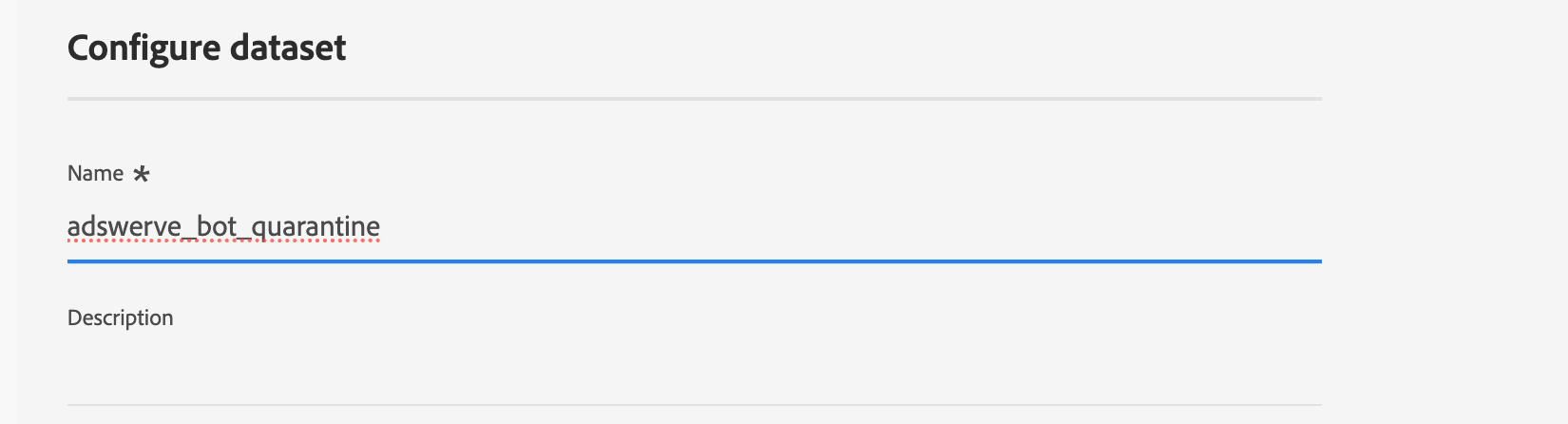
Step 2: Add the quarantine dataset to your Datastream
Open the existing Datastream and click the three-dots menu next to the Adobe Experience Platform service. Then click Edit. 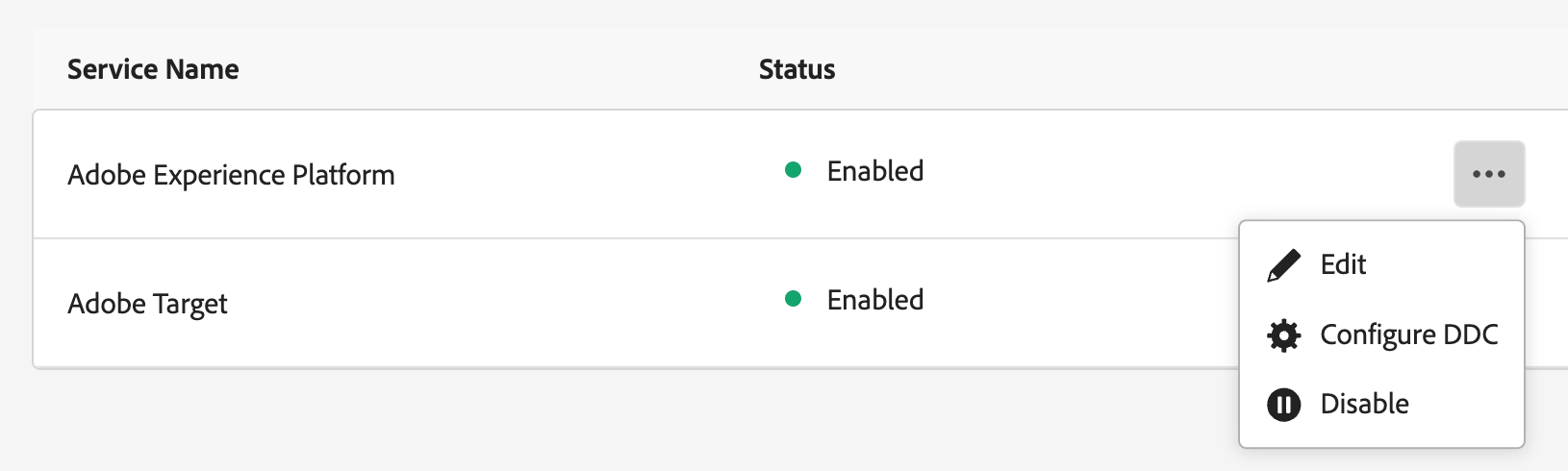
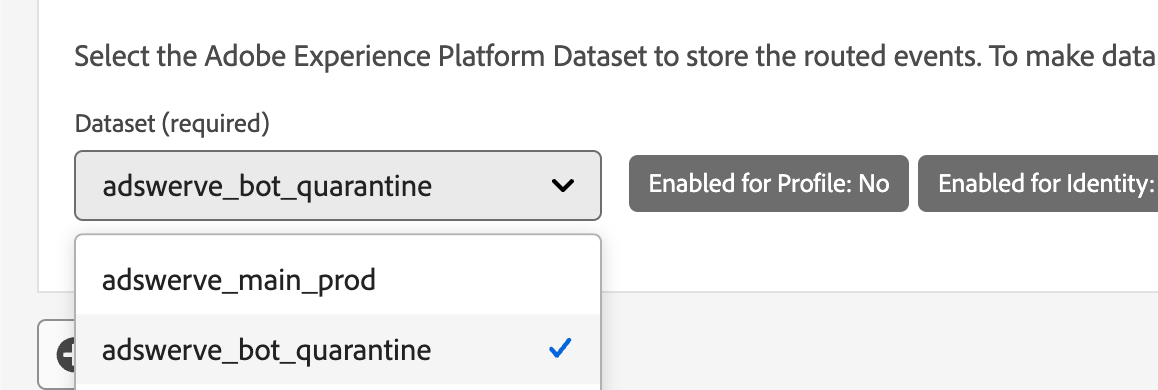
Add the new quarantine Event Dataset (not enabled as Primary) alongside your existing one, then click Save.
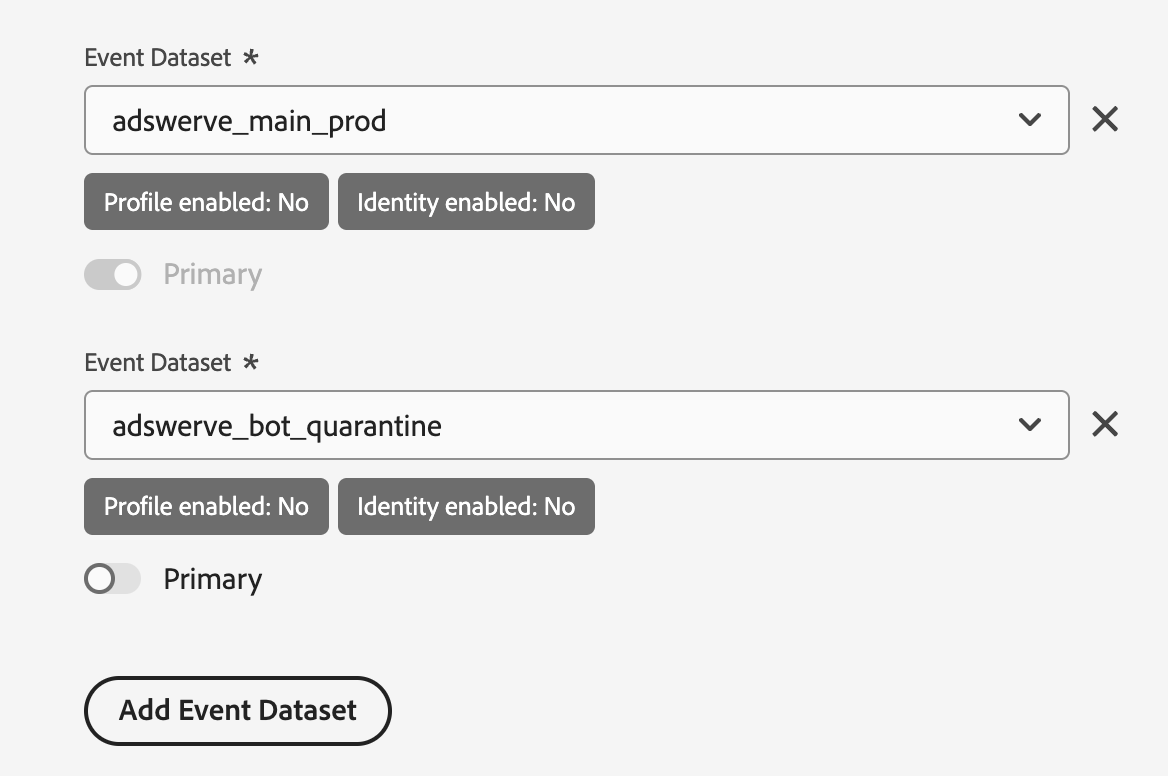
Step 3: Add the Dynamic Datastream Configuration
Click the three-dot menu again and this time click “Configure DDC.” DDC stands for Dynamic Datastream Configuration. If there are no rules yet, click the Add Dynamic Routing Configuration button.
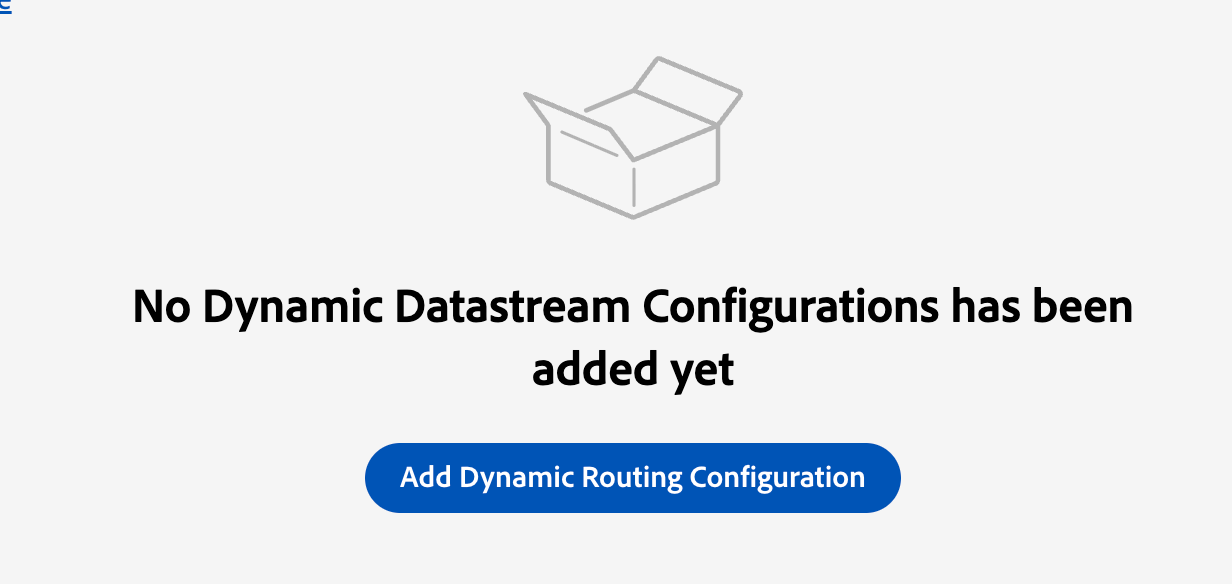
Step 4: Build the bot quarantine rule
Give the rule a name at the top of “Bot Quarantine.” Click the Bot Detection object within the schema, then drag the Score schema field into the Rule Builder canvas. Change the “Score” field to “equals 1.”
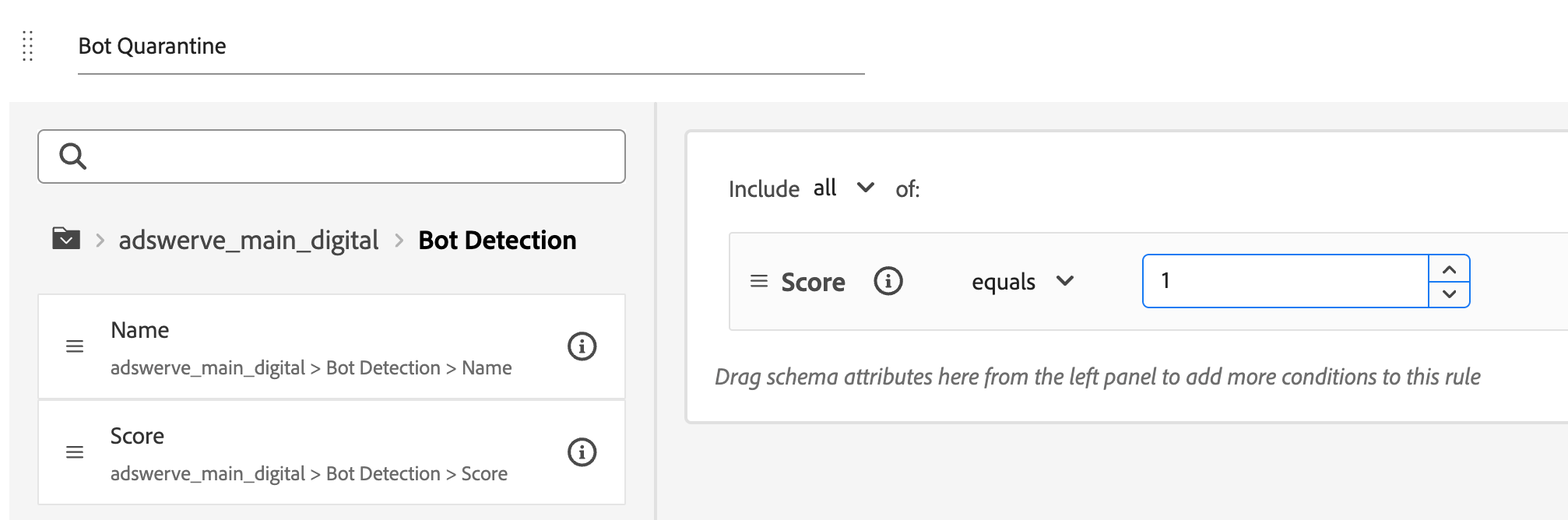
Then, at the bottom, select our newly created quarantine dataset from the dropdown and click the Save button in the top right corner.
You will get a warning upon clicking Save that this will significantly impact how data is stored and processed in Adobe Experience Platform. Click Save again to confirm the changes.
Upon completion, you will now route all of the bot identified events to their own quarantined dataset in Adobe Experience Platform. It will take up to 35 minutes for these changes to propagate to all of the Edge servers.
What bot quarantine means for your CJA investment
With no code changes to your implementation, bot events are now being quarantined in their own dataset. As long as you keep that dataset out of Customer Journey Analytics, these bots will no longer count toward your contracted reportable row limits. Keep in mind that Adobe's terms cap annual Data Lake ingestion at three times your licensed capacity, so pairing this with a dataset retention policy on the quarantine dataset is good practice. Additionally, if there’s a mistake made in the Bot Identification rules, you still have the quarantine dataset for backup retrieval and reprocessing.
If you're one of those organizations where bots account for up to 80% of your traffic, the row capacity you reclaim in Customer Journey Analytics can go toward ingesting offline datasets, enabling Content Analytics, or upgrading to premium Customer Journey Analytics SKUs.
Bot quarantine is just one example of what Dynamic Datastreams can do. From optimizing which events are Profile-enabled to filtering out unnecessary Adobe Target calls, there's a lot of room to fine-tune your Adobe Experience Platform setup. If you'd like help finding those opportunities, we'd love to hear from you.

Planning your move to Adobe Customer Journey Analytics (CJA)
Adswerve's interactive workshop helps teams plan their move from Adobe Analytics to Customer Journey Analytics (CJA), from data readiness to migration.